How it works
One number. One app. Every missed call answered.
This is the whole product, screen by screen, on the real app. Nothing here is a mock-up: the business is made up, the app is not.
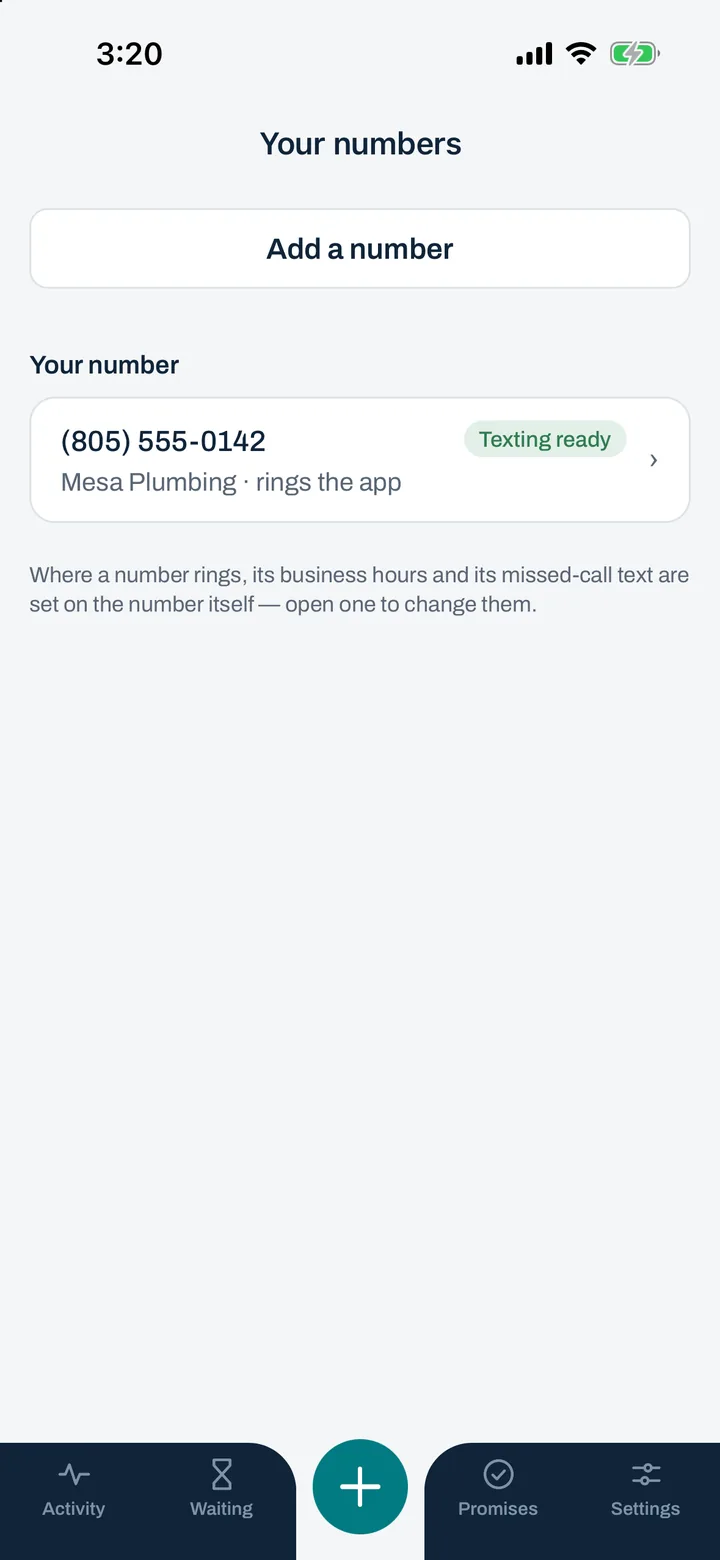
Your number
A real business number, yours to print anywhere.
Pick the area code you want and the number is live in a minute. Put it on the truck, the cards, the listings and your Google profile. It is a normal US phone number: anyone can call it or text it from any phone.
- Your personal cell stays personal. Callers only ever see the LarLine number.
- Need a second one, for a second business or a second crew? $7 a month each.
- Cancel and the number is held for 30 days, in case you change your mind.
Calls
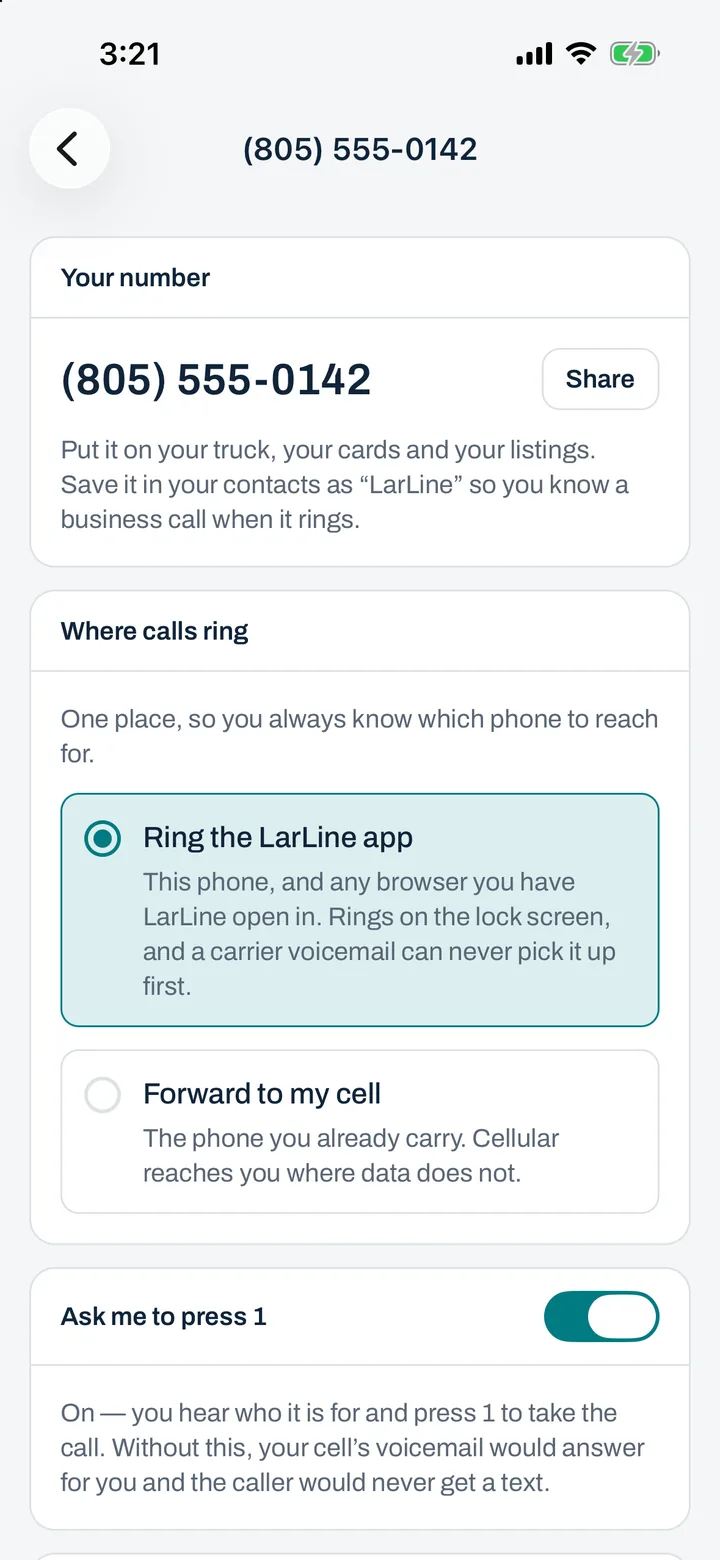
Calls ring the app. Or your cell, if you’d rather.
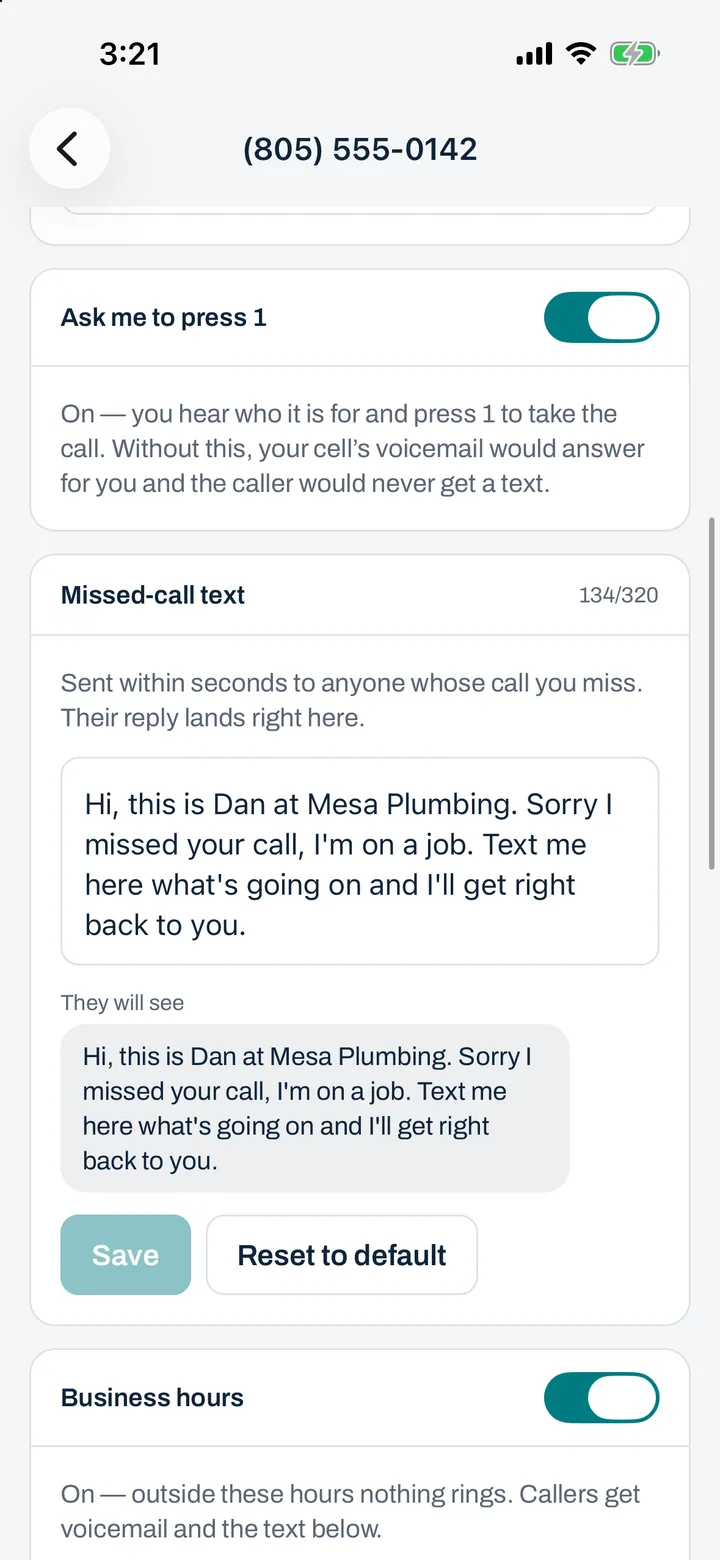
By default a call to your number rings the LarLine app, so work calls and personal calls stay apart on the same phone. Prefer the way your cell rings? Point the number at it instead. When it rings your cell, LarLine asks the caller to press 1 first, so you know it is work before you say hello, and a carrier voicemail can never swallow a missed call.
- Call anyone back from the app. They see your business number, never your cell.
- Calls to your LarLine number are never recorded.
- It is a business line: 911 is not available from it. Use your cell for emergencies.
The text-back
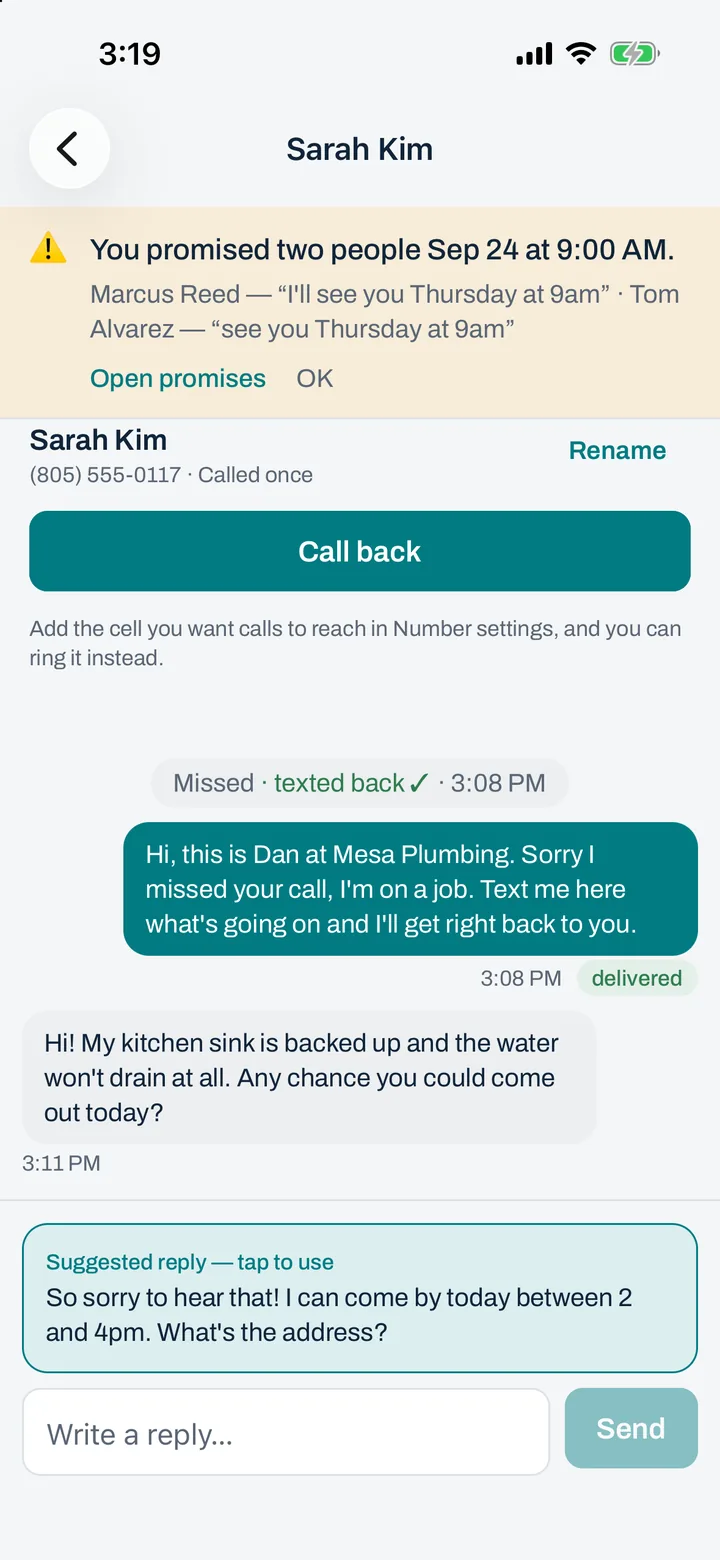
Miss a call, and they hear from you in seconds.
You write the message once, in your own words. When a call to your number goes unanswered, LarLine sends it to the caller within seconds. They know you saw them and you’ll be in touch, so they wait instead of calling the next business on the list.
Your text-back could sayHi, this is Dan at Mesa Plumbing. Sorry I missed your call, I’m on a job. Text me here what’s going on and I’ll get right back to you.
- Only to people who just called you, and at most once per caller per hour. It is a reply, not a marketing tool.
- If you answer, nothing happens. LarLine only steps in when nobody picked up.
Texting
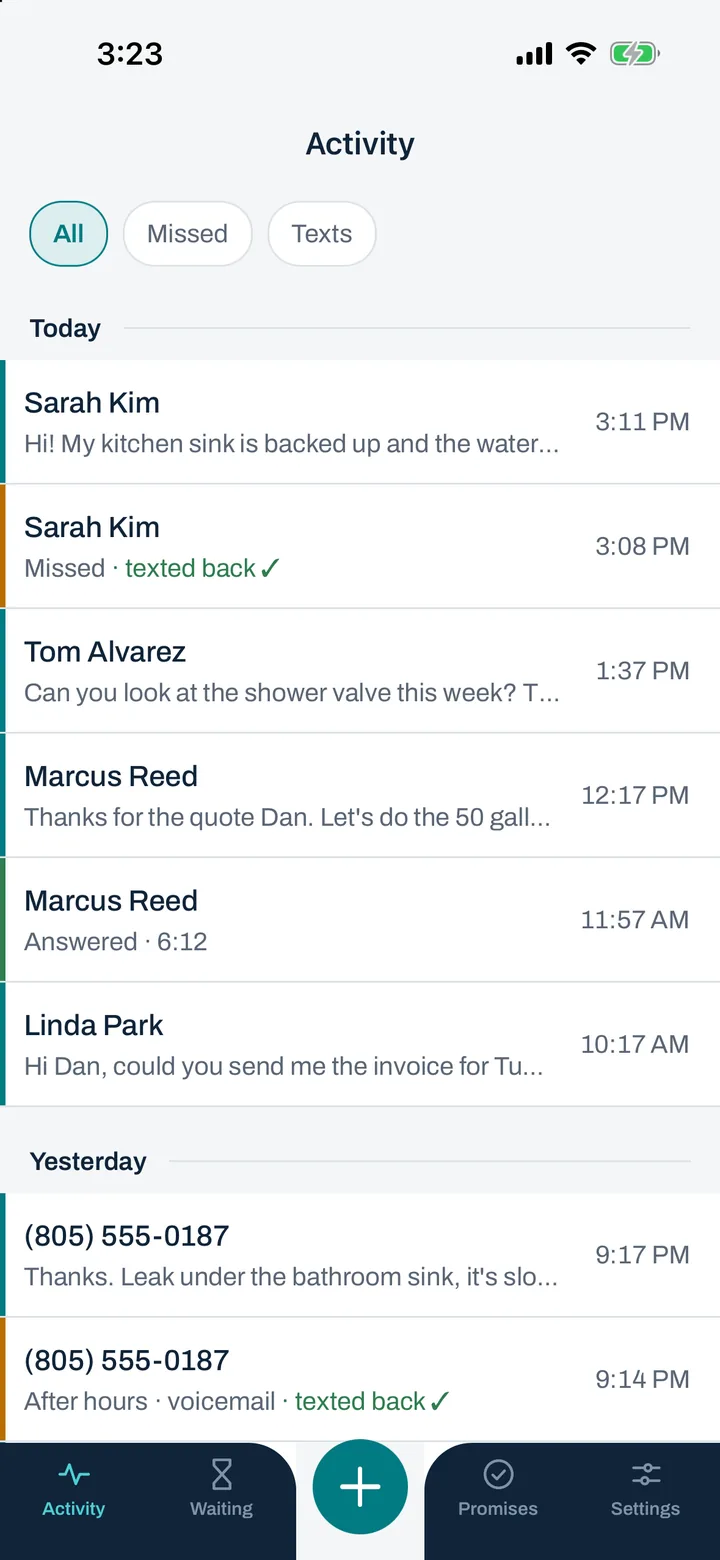
Their reply lands in one thread. Answer when your hands are free.
Every customer is one thread: their calls, their texts, your text-backs and your replies, in order. Activity is the day in one list. Open the app between jobs, read what came in, answer from the truck.
- Texts and calls to your customers are included. There is no per-message charge.
- Up to three people can sign in to the same number, so a partner or a dispatcher can answer too.
Business hours
After close, callers get a text. You get your evening.
Set your hours once. Outside them your phone stays quiet: a caller gets voicemail and a text saying when you’re open, and it is all waiting for you in the morning. The after-hours message is yours to write too.
Your after-hours text could sayThanks for calling Mesa Plumbing. We’re closed for the day and open again at 7am. Text me here if it can’t wait and I’ll see it first thing.
Voicemail and the Waiting list
Nothing slips through.
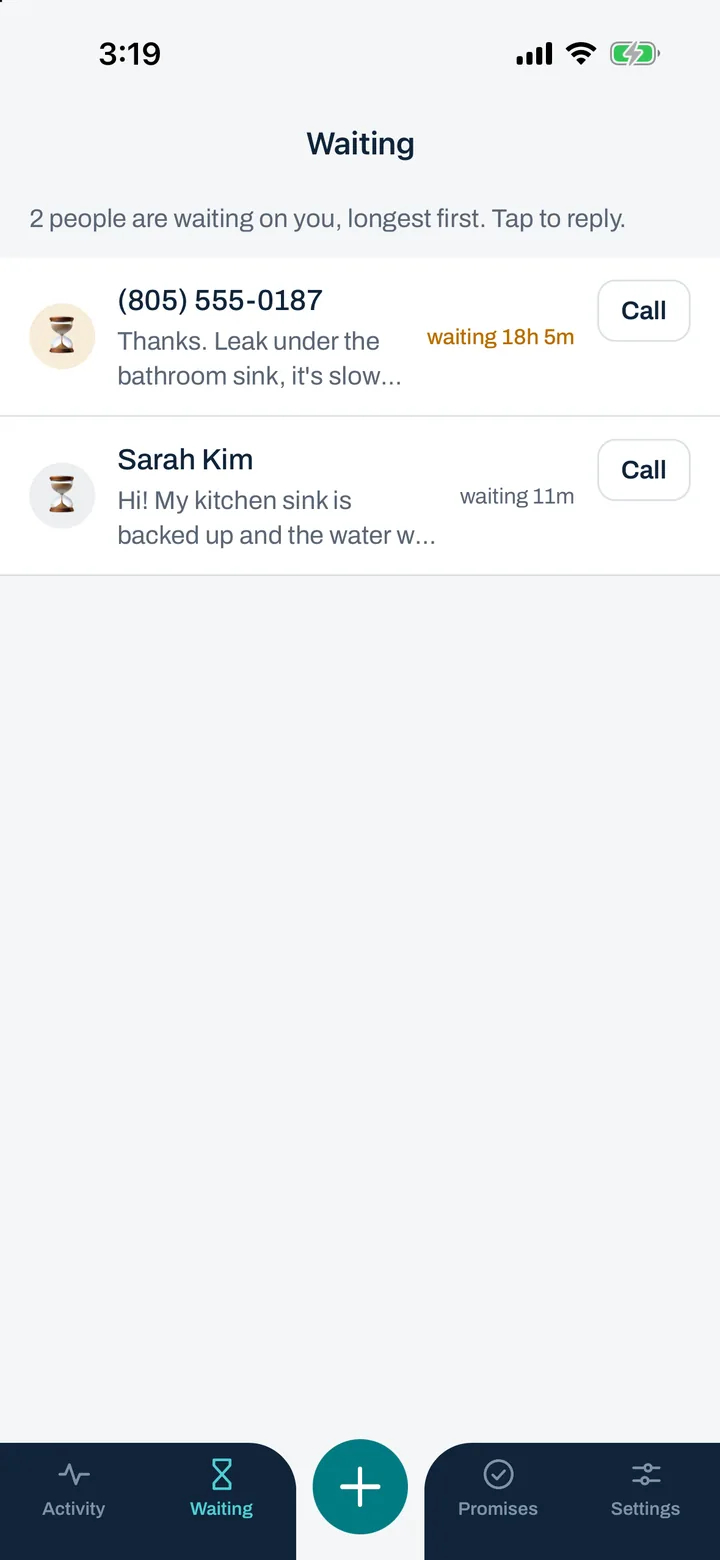
A voicemail arrives as audio and as a written transcript, so you can read it in a noisy room. And the Waiting list shows every customer whose last message you have not answered yet, oldest first, so the person who texted at 9am does not get forgotten by 4pm.
That’s Business. AI Pro adds a copilot.
It can also draft your replies and remember your promises.
AI Pro reads your threads so you don’t have to: replies drafted for you to tap Send, a list of what you promised, a warning before you double-book, and a caller menu.